This automation replaced my $3,000 SMM budget - blank Pinterest profile hit 6K views in 7 days

SMM agencies write alt text by hand for $30/hour, I publish 100 pins \h for 2 cents
Perplexity's API burned less than $1 of that $10 processing over a hundred images. I need no content manager, no VA scheduling pins at midnight, no agency retainer.
Right now you or someone in your niche is paying a freelancer $15 an hour to write Pinterest alt text by hand. I built a system that does the same job through Make, Telegram, and the Perplexity API. I run it myself on an account called atastaai. Zero followers, zero prior posting history and in one week it hit 5,900 views. Every pin published itself in under a minute from the second I sent the image.
I didn't hire anyone to write alt text, didn't buy Pinterest ads and didn't touch a scheduling calendar once during that week.
The account went from a blank profile to a working traffic source on its own, running on a phone-sent batch of images and nothing else.
The wrong approach is manual - manual dies at scale.
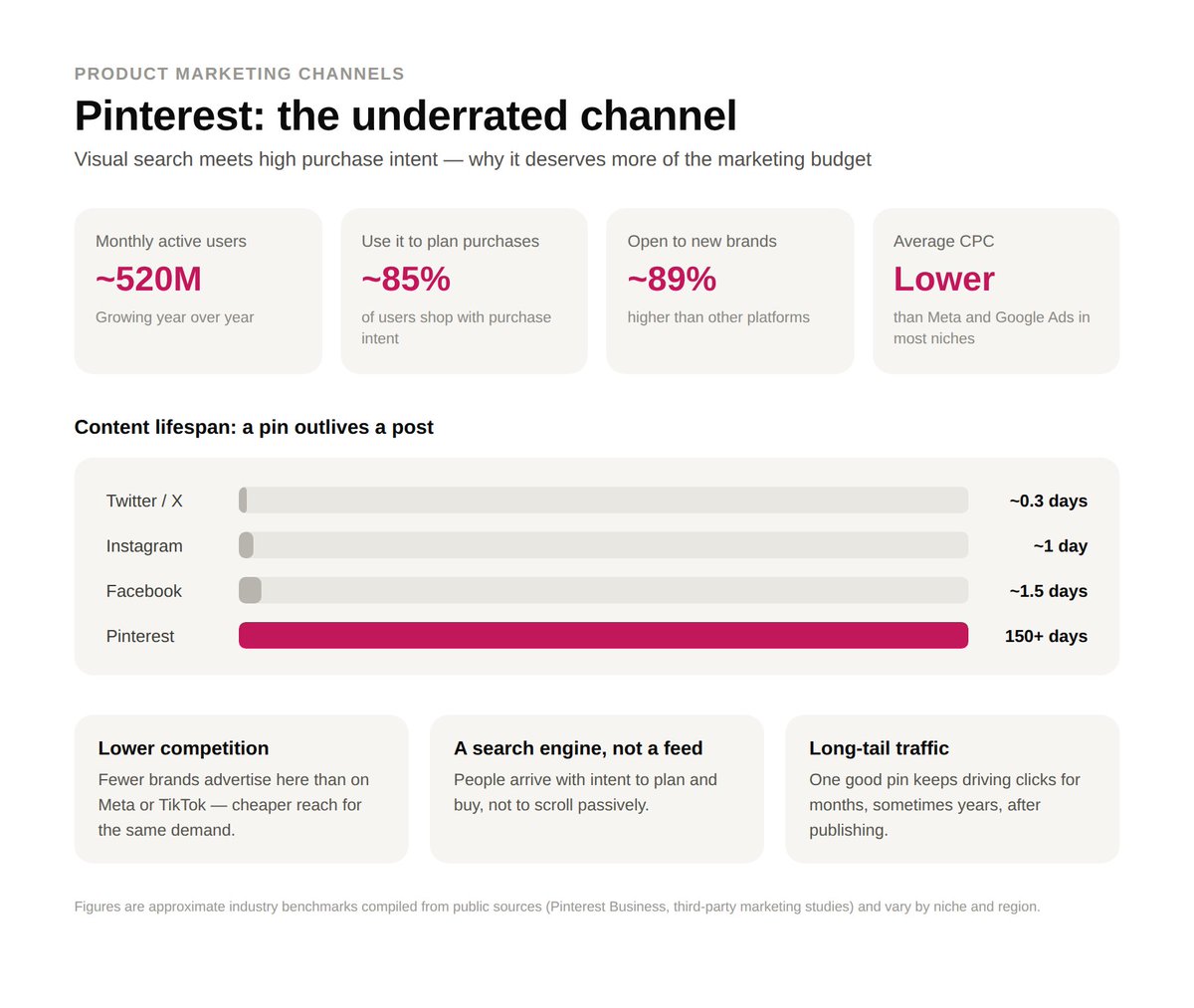
Pinterest is one of the most underrated channels for product marketing right now - especially if you're in interior design, home goods or anything visual. It's not social media, but a search engine - people using it are actually searching for a look and not sitting for fun. They are pretty warmed-up audience.
The problem is nobody has time to write SEO metadata for every product photo by hand and upload it.
I built a system that fixes that.
Pinterest growth advice still assumes a human is sitting there uploading images, writing descriptions and guessing which board a photo belongs on. That works for 15 pins a day max. It falls apart at a hundred, because SEO-optimized titles and alt text take real time to write well and burnout produces generic, keyword-thin copy that Pinterest's algorithm quietly deprioritizes.
A VA at $15 an hour writing thoughtful, keyword-dense metadata for 100 images a week runs somewhere close to $400 a month once you account for revisions and slow days. and that's before the VA gets sick, quits or starts copy-pasting the same three hashtags on everything to save time.
What actually removes the bottleneck is having a model write the metadata directly off the pixels in the image, every time, with no fatigue curve.

That's the entire premise of this build.
Tool chain: Telegram → Make → Perplexity API → Parse JSON → Pinterest API → Published pin.
Five modules, one webhook trigger, zero manual steps between sending an image and it going live on a board.
Step 1: Capture the drop with a Telegram trigger.
The scenario starts with a Make module called Telegram Watch Updates. It sits on a webhook connected to a Telegram bot I built specifically for this, and every time I send that bot a file, the webhook fires and kicks the scenario into motion.
I send images as documents specifically, because Telegram compresses photos sent through the normal image picker and that compression strips resolution the vision model needs to read fine detail.
Sending as a document keeps the original file intact.
The real advantage here is batching. I can send up to 30 images in a single burst and Make queues each one as its own execution, so nothing gets dropped even when I dump a whole shoot's worth of content at once.
Each of those 30 images runs the full pipeline independently, so a batch of 30 coastal photos comes out the other side as 30 separately titled, separately boarded pins, each with its own caption written off its own content.
That's the part that actually replaces a human doing this one photo at a time.
Telegram is one option among several here. Any source that can trigger a webhook with a file attached works the same way, so a shared Google Drive folder with a watch-file trigger, a Dropbox upload hook, or even a simple form upload into an HTTP webhook module in Make would slot into this exact same spot with no other changes downstream.
I use Telegram because I already have it open on my phone constantly and forwarding a folder of photos from my camera roll into a bot takes ten seconds.
Anyone running a team would probably prefer the Drive version, since multiple people can drop files into a shared folder without needing bot access.

If this step is skipped or misconfigured, meaning the webhook isn't set to fire on document type specifically, images sent as compressed photos slip through with lower resolution, and the vision model downstream starts guessing at details it can't actually see clearly. That shows up later as vaguer, more generic titles, the kind that mention "outdoor scene" instead of naming the actual rock formation or architectural style in frame.
This step hands off a raw file reference to the download module next, nothing more.
No metadata gets written yet, no API calls happen yet, it's purely capture.
Step 2: Pull the actual file with Telegram Download a File.
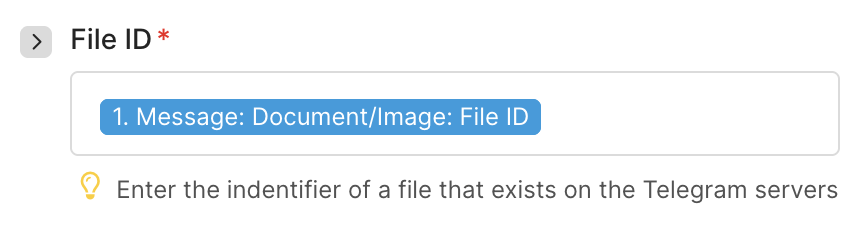
The watch module only hands Make a file ID and metadata. A second module, Telegram Download a File, has to go fetch the actual binary.
This step outputs the raw image data as a file blob inside the scenario, which is what gets passed to the next module.
Nothing gets written to disk anywhere. It stays in memory for the length of the execution, which keeps the whole thing fast and avoids any storage costs on Make's side.
The setting that matters here is making sure the module is pointed at the live file ID variable coming out of the watch trigger.
A hardcoded reference left over from a test run will silently keep re-downloading the same test image on every execution instead of whatever you actually just sent.
That's a mistake that's easy to miss during setup, since the scenario runs without throwing any error, it just keeps posting the same test pin over and over with new metadata attached each time. The fix is checking the mapping on the file ID field before the scenario ever goes live.
Once the binary is in hand, this module hands the actual image data forward to the HTTP request in step three, and separately, a reference to that same file gets carried through to the Pinterest module at the very end for the final upload.
Step 3: Send the image to Perplexity for SEO metadata, this is the core of the build.
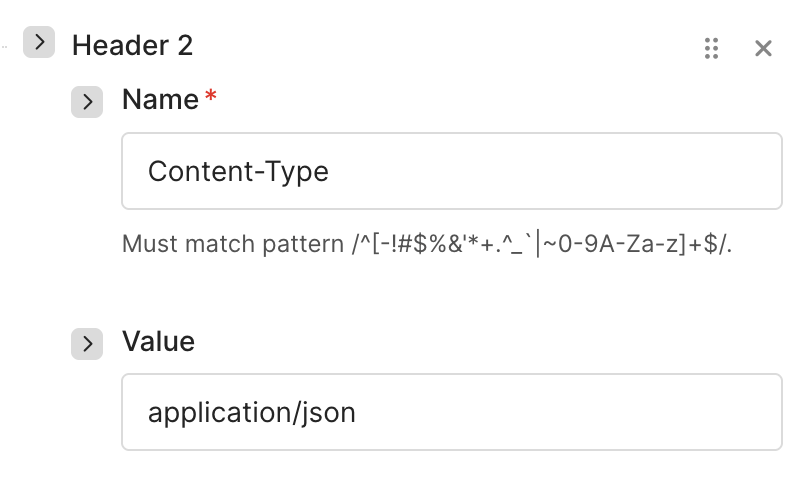
An HTTP module fires a POST request to Perplexity's chat completions endpoint, content type application/json, carrying both the image and a structured prompt in the same payload. I picked Perplexity specifically because the model I'm using, sonar-pro, is cheap relative to GPT-4 vision-class models and I don't need reasoning depth here, just accurate, literal image description turned into SEO copy.

The request body looks like this in practice:
Run a real photo of a stone coastal path through this and the model comes back with a title under 100 characters built around actual searchable terms like "Coastal Stone Path Walkway Ideas," a description packed with 3-5 hashtags tied to landscape and travel searches, alt text describing the stone, the ocean, the lighting, and the mood without a single marketing phrase in it, and a board ID selected automatically based on whether the image reads as nature or something else.
That last part is the routing logic doing real work: two board IDs are hardcoded into the prompt itself, one for nature, travel, architecture, landscapes, and street photography and one catch-all for everything else, so the model is making a placement decision along with the description.
If this step is misconfigured, meaning the prompt is vague or the character limits are dropped, Perplexity will still return something, but it comes back generic, thin on keywords, and sometimes over the character caps Pinterest actually enforces, which gets a pin rejected or trimmed awkwardly on the platform's side. The tight structure in the prompt is what turns a vision model's raw description into copy that actually ranks.
I tested a looser version of this prompt early on, just "describe this image for Pinterest," and the outputs came back closer to a photo caption than SEO metadata.
No hashtags, no keyword density, titles running well past 100 characters. The version above exists because that first attempt failed in exactly those ways.
Cost is the other reason sonar-pro made sense over a general-purpose vision model.
Running the same volume through a GPT-4-class vision endpoint would land closer to 4-5x the per-image cost, and for a task this literal, that gap in reasoning quality doesn't translate into better titles.
This module hands two things forward: the raw JSON string sitting inside the API response, and implicitly, the file reference still carrying through from step two for the eventual Pinterest upload.
Step 4: Parse the response with a JSON module.
Perplexity's reply comes back nested inside a larger completion object, buried under choices, then message, then content, so a Parse JSON module sits right after the HTTP call to unpack it into four clean, individually addressable fields: title, description, alt, and board.
Without this step, everything downstream would be working with one giant string instead of four separate values, which means the Pinterest module couldn't map title into the pin name field or board into the board field independently. Parse JSON is what turns the model's raw text output into structured data Make can actually route.
This is also the module that will throw an error immediately if Perplexity ever returns malformed JSON, so it doubles as a built-in check that the upstream prompt is still behaving the way it should.


That error surfaces instantly in Make's execution log, which means a broken prompt gets caught on the very next run instead of silently posting garbage metadata for days.
Setting up the data structure inside this module takes one manual pass, mapping the four keys, title, description, alt, and board, against a sample response from a test execution.
After that single setup, every future run parses automatically with no further input.
Once parsed, all four fields plus the original image file get handed to the last module together, fully labeled and ready to drop straight into Pinterest's field mapping.
Step 5: Publish directly to Pinterest through the API module.
The final module is Pinterest's native Create a Pin action inside Make, and every field in it pulls from a variable set earlier in the chain instead of being typed in by hand.
Media source is set to image, base64, and the content itself comes straight from the file downloaded in step 2. Board pulls from the board field the Parse JSON module extracted.
Pin name pulls from title, description pulls from description, and alt text pulls from alt, all coming out of that same parsed object.
The link field is where I attach my Instagram, though this is exactly where anyone running the same build would drop a product page, a storefront or a landing page instead.
The moment this module fires, the pin is live on the board, fully described, fully tagged, with zero manual entry anywhere in the chain from the second I sent the file in Telegram.
If any single field here gets left pointed at a static test value instead of the parsed variable, the failure is quiet and expensive. Every future pin publishes fine, but with the same title or the same board on every single image, which looks fine at a glance and tanks reach over the following week without an obvious cause.
That's why every field on this module gets traced back to a live variable before the scenario ever goes live.
The cost doesn't scale with volume the way a human team does.
Make.com plan: $9/month, covers the operation volume this scenario runs at without hitting execution limits. Perplexity API: under $2/month for 100+ images processed, priced per token on sonar-pro. Total monthly cost: under $20, regardless of whether you post 20 pins or 200.
Compare that to what agencies actually charge to set a system like this up.
Freelance automation builders quote $1,000 and up for a Make scenario doing exactly this, on top of whatever a human would charge per pin to write SEO titles and alt text by hand. I built the entire scenario myself and I'm handing it over free, because the math on paying someone else to save you $20 a month in tooling never made sense to me.
Run the ratio instead of the flat number and it gets sharper.
At roughly 2 cents per image in API cost, 100 pins costs about the same as ten minutes of a $15-an-hour VA's time, except the 100 pins are done in the time it takes to send a Telegram message.
The growth number backs up the cost number.
Zero to 5,300 views in seven days on a brand-new account, atastaai, with no ad spend, no existing following, and no manual posting at any point in that week.
Pinterest doesn't penalize this kind of content either. The platform's ranking signals care about relevance and completeness of metadata, and a fully-tagged, correctly-boarded pin published in under a minute competes exactly the same as one someone spent ten minutes writing by hand.
The time saved compounds the same way the cost does.
A human writing careful alt text for 100 images realistically needs somewhere between 8 and 15 hours depending on how thorough they're being, and this pipeline processes that same 100 images in roughly the time it takes to send the files and let the scenario run, which lands under an hour end to end.
The metadata layer standing between an image and a search result is the real bottleneck in Pinterest growth.
Once that layer runs itself, volume stops being the constraint and the only thing left to scale is how many images you're willing to drop into a chat window.
Anyone treating this as a one-off trick is going to hit the same 40-pin ceiling everyone else does. Anyone treating it as infrastructure gets to keep shipping.
Prompts
{
  "model": "sonar-pro",
  "messages": [
    {
      "role": "user",
      "content": [
        {
          "type": "text",
          "text": "Act as a professional Pinterest SEO specialist. Goal: Generate search-optimized metadata based strictly on the image content. Requirements: 1. TITLE - Under 100 characters - Use high-volume, relevant SEO keywords that match the visual content - Natural readable phrasing, no clickbait, no emojis. 2. DESCRIPTION - Under 500 characters - Include primary and secondary SEO keywords naturally - Include 3-5 highly relevant hashtags - No generic filler words unless clearly visible in the image. 3. ALT TEXT - Literal, precise description of what is visible - Include important SEO keywords naturally inside the description - Focus on objects, location, style, colors, mood, setting - No hashtags, no marketing phrases. Under 700 characters. 4. BOARD - Return \"744149607119499725\" for nature, travel, architecture, landscapes, street photography - Return \"744149607119499728\" for other topics. Output ONLY valid JSON: {\"title\":\"\",\"description\":\"\",\"alt\":\"\",\"board\":\"\"}"
        },
        {
          "type": "image_url",
          "image_url": {
            "url": "data:image/jpeg;base64,{{base64(10.fileOutput)}}"
          }
        }
      ]
    }
  ]
}
Links
Related articles

Stop cosplaying a SaaS founder. Start getting paid for shipping
Vibe coding didn’t invent a new hustle. It collapsed the time between “I have an idea” and "here’s a working product."

My chief of SEO, Claude Cowork Fable 5
"Here is everything you need to know about my business before we start any SEO work. Reference this every time I ask you to run an audit, build a strategy, or analyze competitors. Never ask me for th…

Top 20 Claude Prompts For SEO - The Only Stack You'll Ever Need.
"Here is everything you need to know about my business before we start any SEO work. Reference this every time I ask you to run an audit, build a strategy, or analyze competitors. Never ask me for th…