I Replaced Twilio at My Agency and Saved 40%. Here's the Exact System I Run Now.

I run @ignytlabs. We ship client apps constantly, and messaging is on almost every one. OTP codes. Account updates. Order notifications.
For a long time, messaging was the annoying part. The feature itself was always easy. It was the plumbing around it that ate the hours.
Last month I ripped out Twilio and replaced it with @sentdm. Our messaging bill dropped around 40% the first week. Same messages, same volume. Different infrastructure.
This is the full breakdown of what changed, why, and exactly how I run it now.
The Problem I Was Ignoring
Here's the loop most builders are stuck in, including me for years.
You wire up an SMS API. Then a client asks for WhatsApp. So you bolt on a second API. Now you're managing two clients, two credential sets, two from-numbers. Then you write the glue code that decides which channel to use, and what happens when one fails.
That glue code is the part nobody signed up for. It's brittle and it's yours to maintain forever.
On top of that: per-message pricing. Every send is a tiny cost decision. The more you send, the more it compounds.


Most builders treat this as the cost of doing messaging right.
It isn't. It's just what happens when you use outdated infrastructure.
What Sent Actually Is
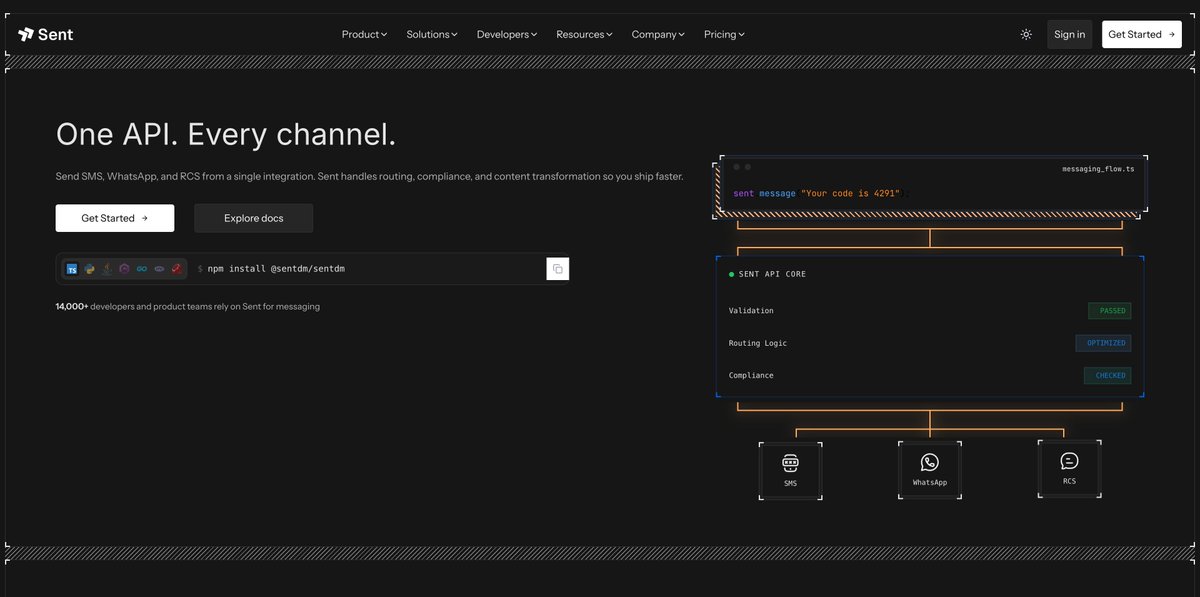
Sent is one API for SMS, WhatsApp, and RCS.
You don't pick a channel. You pass a phone number and a message. Sent figures out the best way to reach that person. These three things factor into the decision:
→ Availability. Can they be reached on one of the channels?
→ Historic engagement. Which channel do they actually respond on?
→ Cost. What's the cheapest way to land the message, on the channel they're actually on?
You write none of that logic. The routing decision is made per recipient, per send.
Sent handles formatting and channel fallback, and helps manage compliance for you. Your code stays the same no matter which channel the message goes through.


The Part That Matters for Agencies: Sender Profiles
This is the piece I didn't expect to care about as much as I do.
Every client build at @ignytlabs needs its own messaging identity. Its own number, its own templates, its own history.
Sent has a feature called Sender Profiles. One organization, multiple fully isolated client identities inside it. Each profile gets its own API key, its own sender identity, its own templates, its own message history, its own analytics, and its own billing. Clients have no visibility into each other.
I spin up a Sender Profile for a new client, configure their resources, hand them credentials, and they're live inside their own isolated messaging environment.
The Exact Workflow I Run Now
For this walkthrough: the most common job we ship. An auth flow that sends a verification code.
Step 1. Create a Sender Profile for the client
Before anything else, I spin up a profile for the client in the Sent dashboard. This is what gives them their own number, their own templates, and their own message history from day one. I connect their channels here. For most builds that's SMS and WhatsApp.
One note: WhatsApp requires a WhatsApp Business Account. If the client already has one, connecting it is instant. If not, it takes about a day. Sent walks through it.


Step 2. Set up their templates
Inside the client's profile, I create the templates they'll use. For an auth flow that's the verification code template. Pre-approved, with an editable variable for the code. The preview shows exactly how it reads on the recipient's device: 657485 is your verification code.
Step 3. Send without picking a channel
I enter the phone number, leave channel on default, and hit send. I don't choose SMS. I don't choose WhatsApp. Sent routes it based on availability, engagement history, and cost.
Step 4. Watch the channel field
The API response includes a channel field showing what Sent actually picked. One recipient routes to WhatsApp. Another routes to SMS. The decision is per person, and you can see it every time.
Step 5. Follow the timeline
Every send has a live status timeline. Queued → routed → sent → delivered. On WhatsApp you get a read receipt when they open it. You're never guessing whether something went through, and neither is the client, because they can see it themselves.
Step 6 - The message lands
Then the message arrives on the phone. Same code, same call, and it shows up on whichever channel Sent decided was best for that person.

How the Pricing Actually Works
This is where the 40% drop came from.
Sent charges per contact, not per message, so messaging the same people more doesn't run up your bill. Carrier fees apply on top, but Sent passes those through without marking them up. Easy to try and see for yourself.
Most messaging APIs charge per message, which means your bill scales with every send. Per-contact pricing means it doesn't. The more you message the same contacts, the better the unit economics get.
What Changes in How I Work
Costs are predictable. Per-contact pricing means I can tell a client what messaging will cost before a single send goes out. Carrier fees still apply per message, but they're passed through with no markups, unlike with other providers.
Clients answer their own deliverability questions. Before, I was the middleman for "did that message go through." Now every client has their own analytics inside their Sender Profile. That support back-and-forth just stops.
Reach improved without extra work. Sent checks channel availability before routing, so messages only go where they'll land. Layering WhatsApp on top of SMS means better coverage across different audiences automatically. An American user is probably SMS-only. Someone in Mexico is likely WhatsApp-only. A Mexican-American immigrant is probably more responsive on WhatsApp even with a US number. Sent figures that out per recipient. I don't have to.
Onboarding a new client takes a few minutes. Spin up a Sender Profile, configure their resources, hand them credentials. Isolated identity, isolated data, isolated billing. Done.
For years, messaging was infrastructure I had to babysit. Two APIs, hand-written routing logic, a bill that grew faster than my sends. Now it's one call. The messaging layer stopped being a project and became a line of code.

If you're still wiring a separate SMS API and a separate WhatsApp API on every build, this is the part of your stack worth fixing.
Verify your phone and email, add a card, and $5 in free credit lands automatically. You're sending in under 5 minutes.
TL;DR
→ One API. SMS, WhatsApp, and RCS. You pass a number and a message, not a channel.
→ Sent routes by availability, engagement, and cost. Per recipient, every send.
→ Sender Profiles give each client a fully isolated identity: their own number, templates, history, analytics, and billing.
→ The channel field in every response shows exactly where the message went.
→ Per-contact pricing, not per-message. That's where our 40% savings came from.
Related articles

How to make $10k/month from automated marketing
A Rork builder's YouTube channel hit 100,000+ subscribers and earned a YouTube Silver Play Button, fully automated. Not a single video manually uploaded, not a single hour spent in front of a camera.
the CPOD method to close $500k+ without any sales calls
i'm going to piss off every sales coach, closer, and "high-ticket consultant" with this one

8 SEO Link-Building Tactics Automated With Claude
📢 If you want more high-quality backlinks but